The AI Usage Gap Is a Product Architecture Problem
TL;DR
- Most enterprise AI tools are deployed but barely used. The problem isn't capability, it's that AI is built as a destination rather than an ingredient
- The "AI detour" (remember to use AI, switch tools, craft a prompt, copy results back) kills adoption because it requires users to break their existing workflow
- AI features that are inline, surfaced at the point of decision rather than behind a chat box, become habitual; everything else becomes shelfware
Enterprise AI tools are deployed but not used. The usage numbers don't match the licence numbers.
Teams buy seats. IT provisions access. Training sessions happen. Executives announce the AI transformation. And then, three months later, actual usage is a fraction of what the deployment would suggest. The tools are there. The capabilities are real. But people aren't using them.
The standard explanation is a "people problem." Users need more training. They need to change their habits. They need to "learn to prompt." The organisation just needs to push harder on adoption.
This explanation is wrong. The usage gap isn't a user problem. It's a product architecture problem. And until product builders address it at the design level, no amount of training or executive mandates will close it.
What is the AI detour and why does it kill adoption?
Think about what most AI tools actually ask of a user.
You're in the middle of work: reviewing a document, analysing a spreadsheet, evaluating a listing, writing a report. You hit a moment where AI could help. To use it, you need to:
- Remember that the AI tool exists and could help with this specific task
- Switch context to open a new tab, navigate to the tool, or launch a separate application
- Craft a prompt to translate your need into a request the AI can act on
- Wait for the response
- Evaluate the output
- Copy the result back into your original workflow
That's six steps to get value from an AI tool. Six steps that interrupt the work you were already doing. Six steps that require you to context-switch, formulate a request in a different modality, and manually transfer the result back to where you actually need it.
This is the AI detour. And it kills adoption.
Not because users are lazy or resistant to change. Because the cognitive cost of the detour exceeds the perceived benefit for most individual interactions. The AI might save you two minutes on the task, but the detour costs you a minute of context-switching and mental overhead. The net benefit is marginal. So users don't bother, except for the 5% who've integrated AI so deeply into their workflow that the detour is automatic. Everyone else forgets, works around it, or decides it's not worth the interruption.
This is why the usage distribution follows a power law. OpenAI's own data shows the top 5% of users send 17x more requests than the median. Those "Frontier Workers" use AI constantly because they've internalised the detour. Everyone else uses it occasionally or not at all. The gap isn't about capability or training. It's about friction.

Destination versus ingredient
The root cause is an architectural decision that most product teams made without thinking about it: they built AI as a destination.
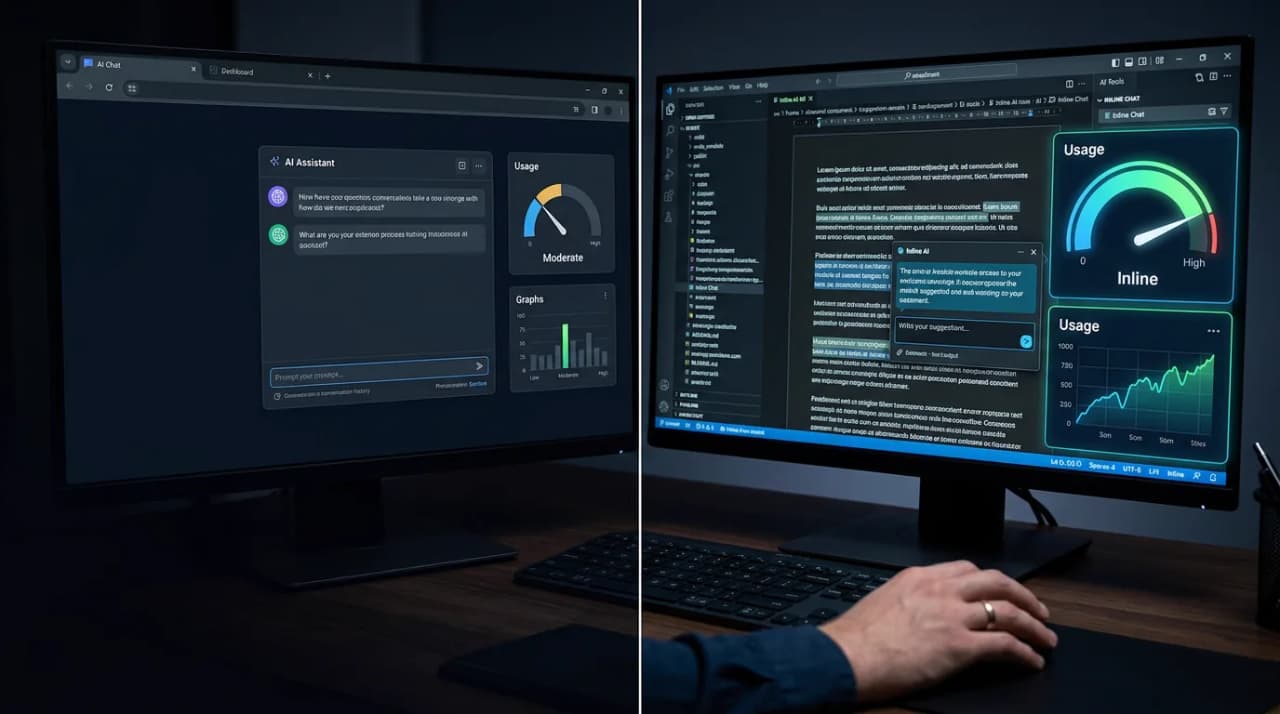
A destination is a place you go. A chat interface. A separate tool. An "AI assistant" that lives in its own tab or panel. The user has to decide to go there, bring their context with them, and carry the results back. The AI is a stop on the journey, not part of the road.
An ingredient is something woven into the surface where work already happens. It doesn't require a detour because it's already there. The user doesn't need to remember to use it because it's present at the point of decision.
The distinction sounds subtle. In practice, it's the difference between a feature that gets used daily and one that gets used once during onboarding and never again.
What inline AI actually looks like
Consider a concrete example. You're building a property search platform. A user is browsing listings, evaluating whether a property is worth investigating further.
The destination approach: You add a chatbot. The user can ask "What's the rental yield on this property?" or "Is this in a flood zone?" They have to open the chat, type the question, wait for a response, and interpret the answer. Most users won't bother. They'll do rough mental math or check a separate website.
The inline approach: On the listing card itself, right next to the price, the bedroom count, and the photos, you surface a yield estimate, a flood risk indicator, and a commute time calculation. No prompt. No chat. No detour. The information is there because the system already knows the user is evaluating this property and these are the factors that matter.
The inline version doesn't feel like "AI." It feels like a smart product. That's the point. The best AI features don't announce themselves. They just make the existing workflow better without asking the user to do anything differently.
This principle applies across every domain:
- Document review: Don't make the user ask a chatbot about clause risks. Highlight risky clauses directly in the document with inline annotations.
- Financial analysis: Don't build a separate AI analysis tool. Surface anomalies, trends, and comparisons directly in the spreadsheet or dashboard where the analyst already works.
- Customer support: Don't give the agent a separate AI panel. Surface suggested responses, relevant knowledge base articles, and customer context directly in the ticket they're already reading.
- Sales: Don't make the rep go to an AI tool for account research. Surface buying signals, risk indicators, and recommended next actions directly in the CRM record.
In every case, the pattern is the same: the AI adds value at the point of decision, not behind a detour.
Why teams build destinations instead of ingredients
If inline AI is obviously better for adoption, why do most teams build destinations instead?
Three reasons.
It's easier to build. A chat interface is a single, general-purpose surface. You build one input box, connect it to a model, and ship it. It handles any query because it's unconstrained. Building inline AI requires you to understand every decision point in your user's workflow, determine what information would be valuable at each point, calculate or generate that information proactively, and design a UI surface that presents it without cluttering the existing interface. That's ten times more product work than "add a chatbot."
It's easier to demo. A chat interface makes AI visible. You type a question, magic happens, the answer appears. It demos beautifully. Inline AI is invisible by design. It's just a better version of the existing product. There's no "wow" moment to show the board. The value is real but quiet. Product teams facing pressure to demonstrate AI capability default to the thing that looks impressive in a presentation, even if it drives lower actual usage.
It's how we think about AI. After two years of ChatGPT shaping our mental model, most product teams default to "conversational interface" when they hear "AI feature." The chat paradigm is deeply ingrained. Breaking out of it requires deliberate effort to reframe AI as an invisible capability rather than a visible feature.
All three reasons are understandable. None of them are good excuses.
The architecture shift
Moving from destination to ingredient requires a shift in how you architect AI features.
Map the decision points. Walk through your user's workflow step by step. At each point where they make a decision, pause, or go looking for information, ask: what would make this decision easier? That's where AI belongs. Not in a sidebar. At the decision point itself.
Pre-compute, don't prompt. Inline AI should feel instant. The user shouldn't wait for a response because the system should have already computed what they need. This means moving from reactive (user asks, AI responds) to proactive (system anticipates, AI pre-computes). For a property platform, that means calculating yield estimates and risk scores when the listing is indexed, not when the user asks about them.
Design for glanceability. Inline AI surfaces need to communicate value in under a second. A confidence score, a risk indicator, a one-line summary. Not a paragraph of generated text. The user is scanning, not reading. The AI output needs to match the speed of their attention.
Degrade gracefully. Not every decision point will have high-confidence AI output. Design for the cases where the AI doesn't have enough information or isn't confident in its assessment. A missing inline annotation is invisible. A wrong inline annotation erodes trust fast. Show what you know. Acknowledge what you don't.
The adoption test
A simple litmus test for whether your AI feature is an ingredient or a destination.
Can a new user get value from the AI without knowing it exists?
If the answer is yes (if the AI makes the product better even for users who don't know it's powered by AI) you've built an ingredient. It's in the workflow. It doesn't require a detour, a prompt, or even awareness.
If the answer is no (if the user has to discover the AI, learn how to use it, and remember to invoke it) you've built a destination. It might be impressive. It might be capable. But it will underperform on adoption, because you've put the burden on the user instead of on the product.
Stop building AI features. Start building integrated workflows. The AI UX design handbook covers the full pattern library for inline, proactive, and generative interfaces. Generative UI, where agents render the right interface for the answer instead of generating text walls, is the architectural pattern that makes this real. If your AI requires a detour, your users will eventually find a route that bypasses your product entirely.
Frequently Asked Questions
Does this mean chat interfaces are always wrong?
No. Chat interfaces are the right choice when the user's need is genuinely open-ended, when they don't know what they're looking for until they start exploring. Research, brainstorming, and complex troubleshooting all benefit from conversational interaction. But for the majority of enterprise workflows, the user's need is predictable based on context. When you know what the user is doing and what information would help, present it inline instead of waiting for them to ask.
How do you measure the success of inline AI versus a chatbot?
Measure adoption through implicit usage, not explicit. For a chatbot, you track queries, sessions, and prompt volume. For inline AI, you track whether users engage with the AI-surfaced information: do they click the yield estimate, do they expand the risk annotation, do they act faster on decisions where AI context is present? Compare task completion time and decision quality for users with and without inline AI. The signal is in the workflow metrics, not in AI-specific metrics.
Isn't pre-computing AI output for every decision point expensive?
It can be, which is why you prioritise. Not every decision point needs AI. Start with the highest-impact moments: the points where users most frequently pause, search for information, or leave your product to find answers elsewhere. Those are the decision points where inline AI delivers the most value per inference dollar. Expand from there as you validate the ROI.
Logan Lincoln
Head of Product based in Currumbin Waters, Australia. Led a $70M regulated B2B SaaS portfolio at Cotality, then founded OpenChair and took its product strategy from market entry into paid production use.